Day 8.Enable Stop Protection for EC2 Instance

Cloud & SRE specializing in AWS and DevOps. I share my ongoing learning journey through practical tutorials and insights. Let's grow together.
Lab Information
As part of the migration, there were some components added to the AWS account. Team created one of the EC2 instances where they need to make some changes now.
There is an EC2 instance named nautilus-ec2 under us-east-1 region, enable the stop protection for this instance.
Lab Solutions
Step-by-Step Instructions (AWS Console)
- Log in to AWS Console
Use your provided console URL and credentials. Confirm the region is us-east-1.
- Navigate to EC2
Go to EC2 service
- Locate the Instance
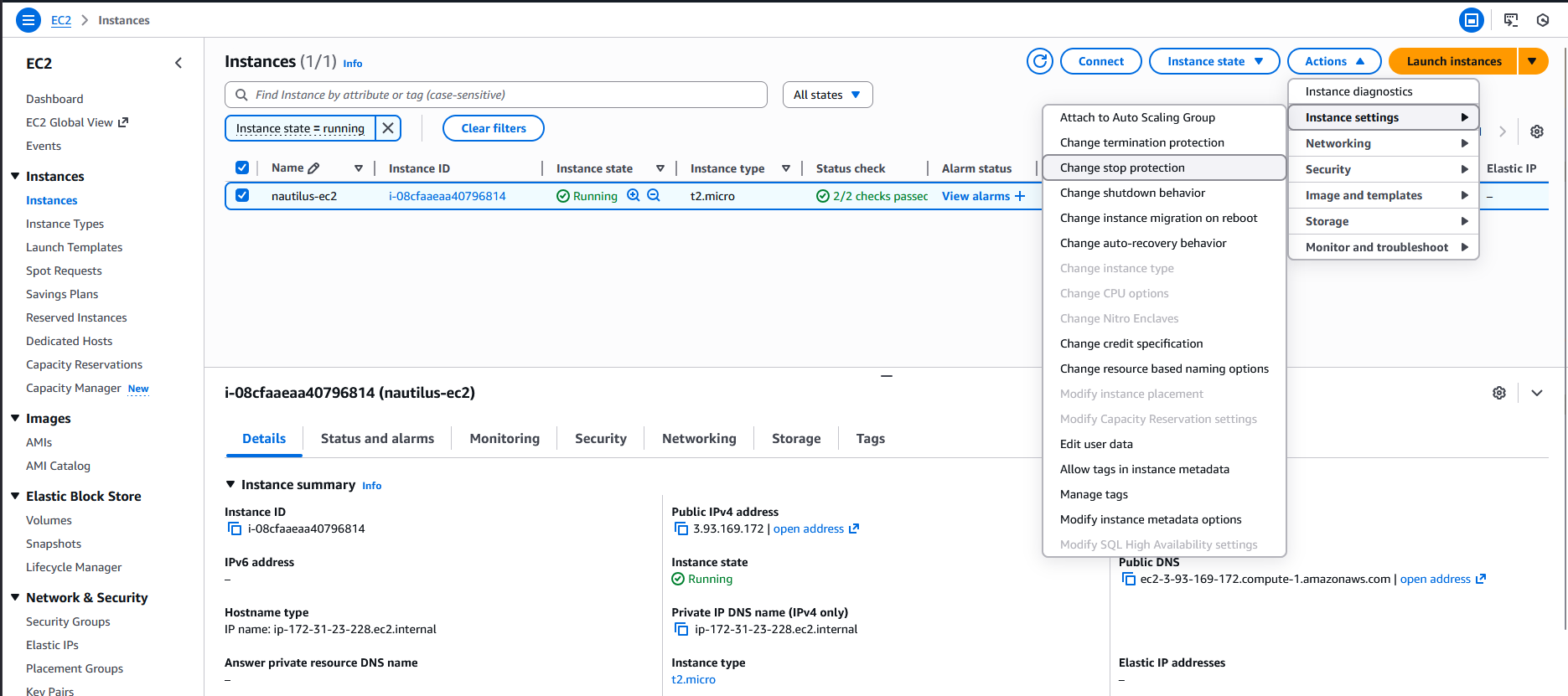
In the left menu → click Instances
Find instance named nautilus-ec2
Select the checkbox next to it
- Enable Stop Protection
With the instance selected:
Click Actions
Go to Instance settings
Click Change termination protection or Edit stop protection
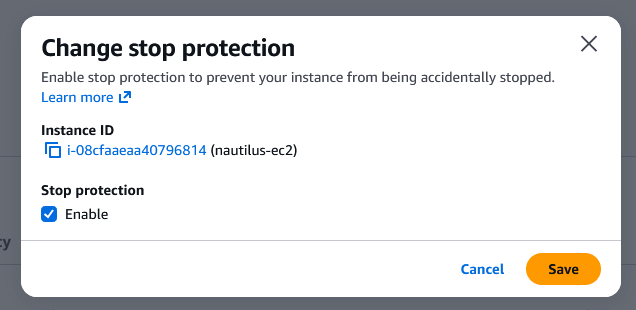
A panel opens — look for:
Enable stop protection (or “Disable API stop”)
Check the box to enable stop protection
Click Save
Resources & Next Steps
- 📦 Full Code Repository: KodeKloud Learning Labs
- 📖 More Deep Dives: Whispering Cloud Insights - Read other technical articles
- 💬 Join Discussion: DEV Community - Share your thoughts and questions
- 💼 Let's Connect: Linkedin - I'd love to connect with you
Credits
- All labs are from: KodeKloud
- Thanks for providing them.


