Day 13.Create AMI from EC2 Instance
Cloud & SRE specializing in AWS and DevOps. I share my ongoing learning journey through practical tutorials and insights. Let's grow together.
Lab Information
The Nautilus DevOps team is strategizing the migration of a portion of their infrastructure to the AWS cloud. Recognizing the scale of this undertaking, they have opted to approach the migration in incremental steps rather than as a single massive transition. To achieve this, they have segmented large tasks into smaller, more manageable units. This granular approach enables the team to execute the migration in gradual phases, ensuring smoother implementation and minimizing disruption to ongoing operations. By breaking down the migration into smaller tasks, the Nautilus DevOps team can systematically progress through each stage, allowing for better control, risk mitigation, and optimization of resources throughout the migration process.
For this task, create an AMI from an existing EC2 instance named devops-ec2 with the following requirement:
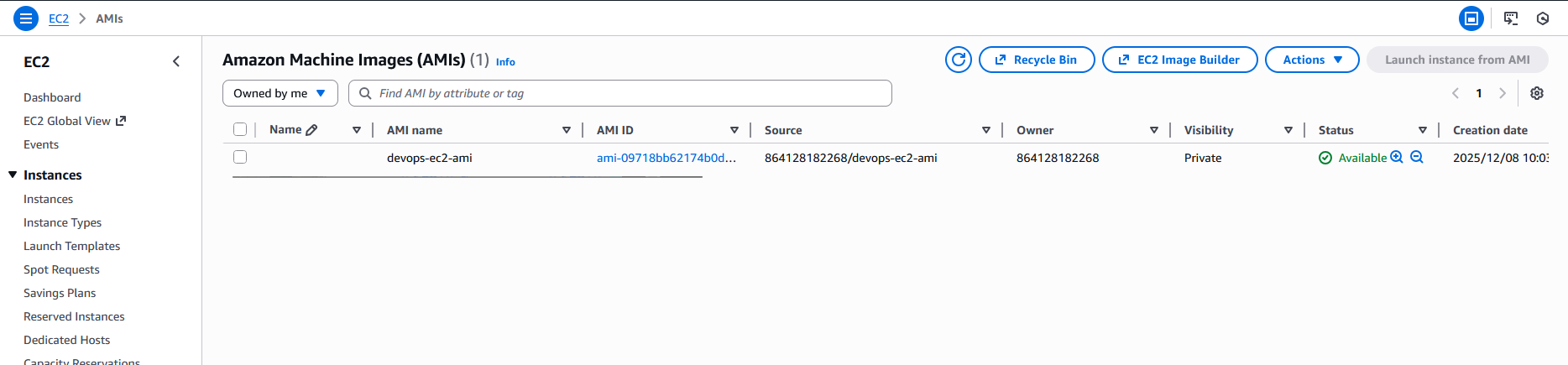
Name of the AMI should be devops-ec2-ami, make sure AMI is in available state.
Lab Solutions
Step-by-Step Instructions (AWS Console)
- Log in to AWS Console
Use your lab credentials and ensure the region is us-east-1.
- Navigate to the EC2 Instance
Go to EC2 service
Click Instances
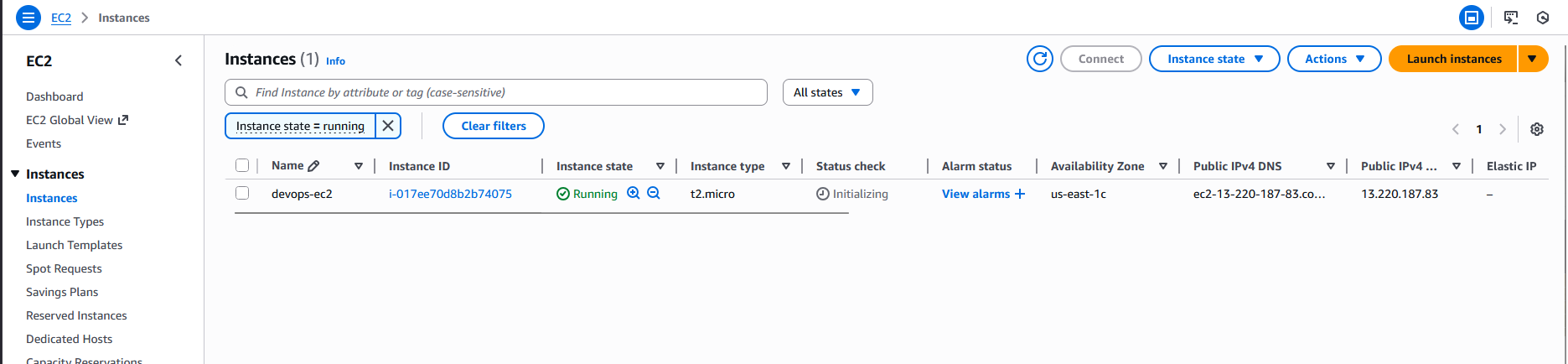
Find and select the instance named devops-ec2
Ensure:
It is in running state (recommended)
- Create the AMI
With devops-ec2 selected:
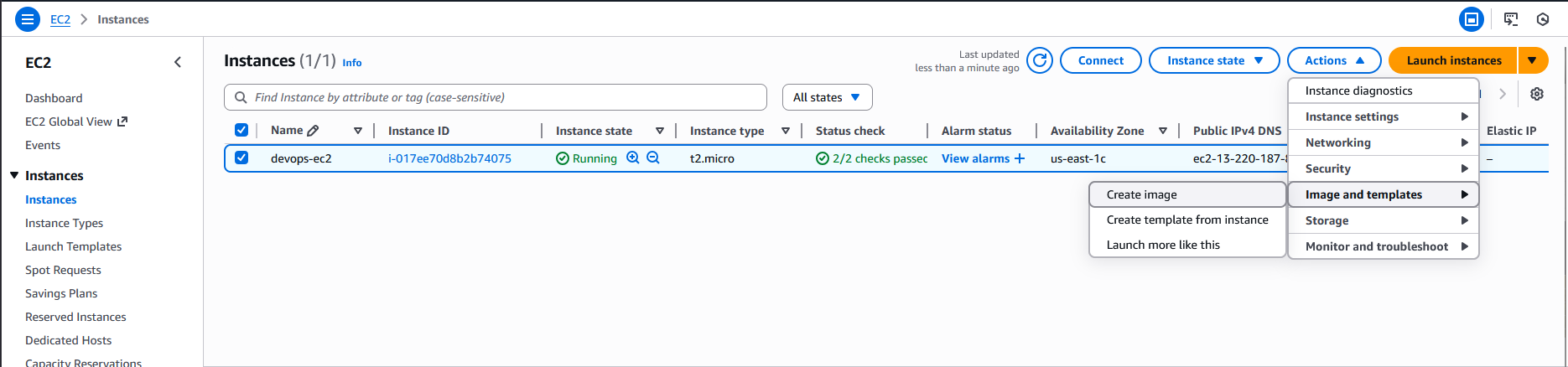
Click Actions
Select Image and templates
Click Create image
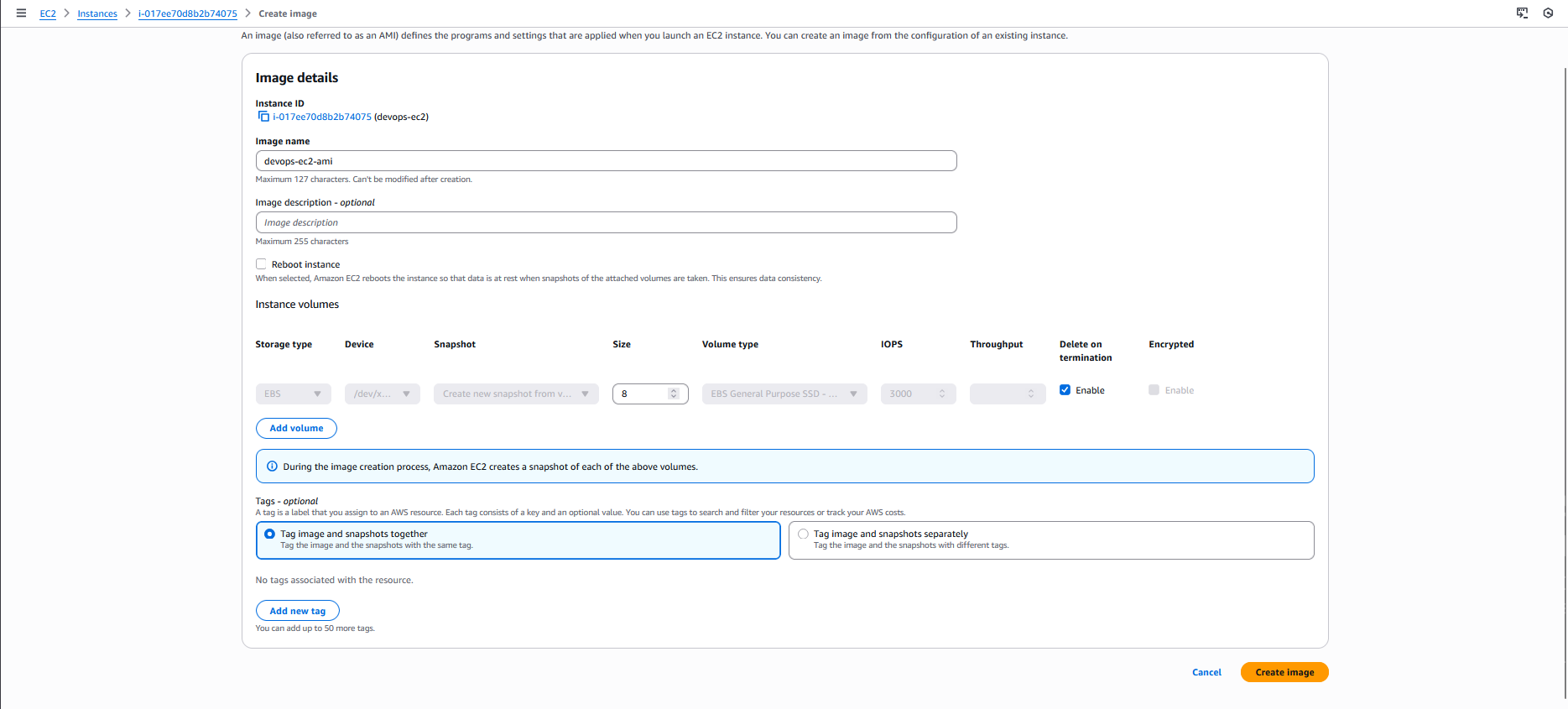
A form will appear.
Fill in the required details:
Image name: devops-ec2-ami
Image description: (optional)
No reboot:
Default (reboot allowed) is safer and recommended.
Click Create image
AWS will now start generating the AMI.
- Verify AMI Creation
Go to Images → AMIs in the left EC2 menu.
Ensure Owned by me is selected.
Find AMI named devops-ec2-ami
Initially, the State will show:
pending
Wait until it becomes:
available
This may take a few minutes depending on instance size.
Resources & Next Steps
- 📦 Full Code Repository: KodeKloud Learning Labs
- 📖 More Deep Dives: Whispering Cloud Insights - Read other technical articles
- 💬 Join Discussion: DEV Community - Share your thoughts and questions
- 💼 Let's Connect: Linkedin - I'd love to connect with you
Credits
- All labs are from: KodeKloud
- Thanks for providing them.


