Day 5.Create GP3 Volume

Cloud & SRE specializing in AWS and DevOps. I share my ongoing learning journey through practical tutorials and insights. Let's grow together.
Lab Information
The Nautilus DevOps team is strategizing the migration of a portion of their infrastructure to the AWS cloud. Recognizing the scale of this undertaking, they have opted to approach the migration in incremental steps rather than as a single massive transition. To achieve this, they have segmented large tasks into smaller, more manageable units. This granular approach enables the team to execute the migration in gradual phases, ensuring smoother implementation and minimizing disruption to ongoing operations. By breaking down the migration into smaller tasks, the Nautilus DevOps team can systematically progress through each stage, allowing for better control, risk mitigation, and optimization of resources throughout the migration process.
Create a volume with the following requirements:
Name of the volume should be xfusion-volume.
Volume type must be gp3.
Volume size must be 2 GiB.
Lab Solution
Step-by-Step Instructions (AWS Console)
- Log in to AWS Console
Use your provided console link and credentials. Ensure the region is us-east-1 (N. Virginia).
- Navigate to the EBS Volumes Page
Search for EC2 in the AWS console.
In the left navigation pane, scroll to Elastic Block Store.
Click Volumes.
- Create the Volume
Click Create volume.
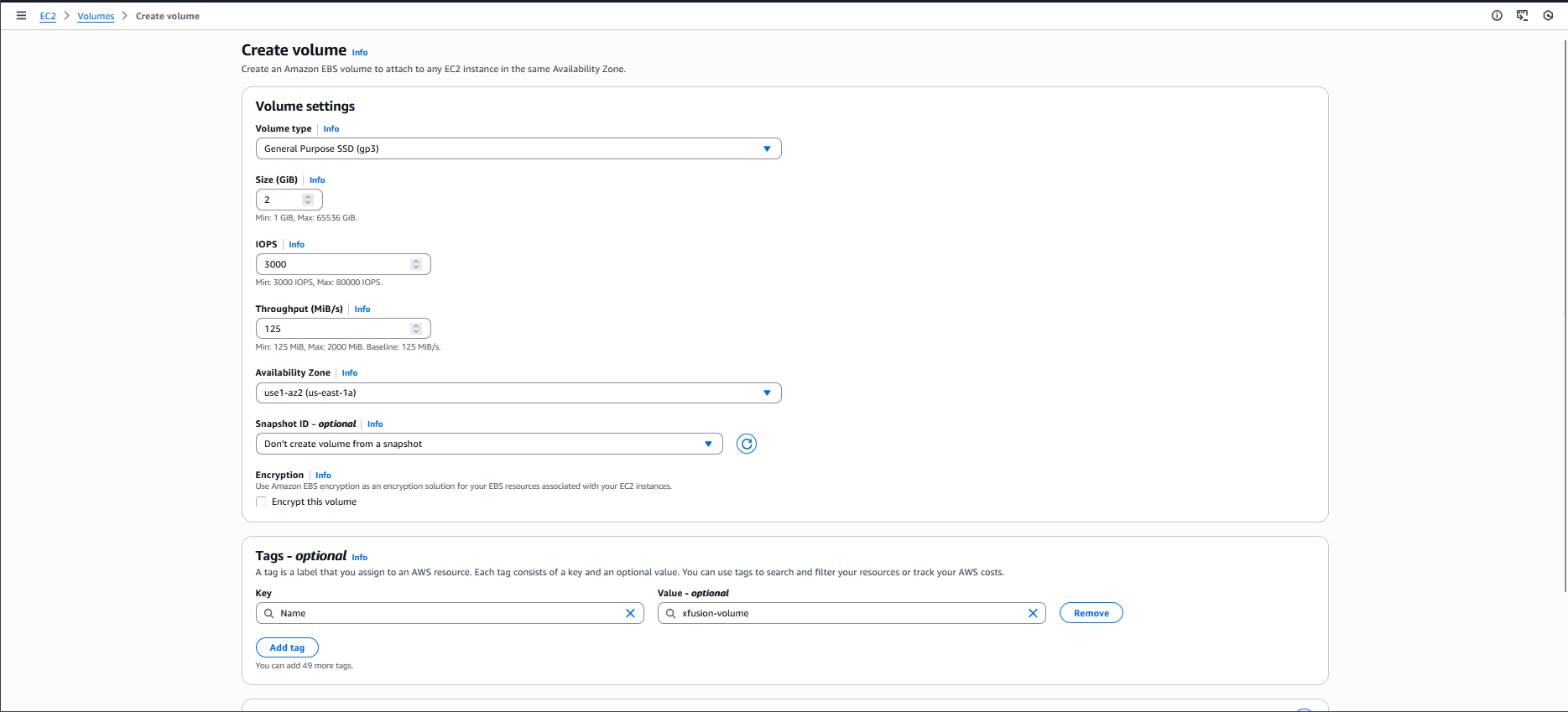
Fill in the required fields:
Volume type: General Purpose SSD (gp3)
Size: 2 (GiB)
Availability Zone: choose any AZ (e.g., us-east-1a) (Important: It must match the instance AZ later if you plan to attach it.)
Scroll to Tags:
Add tag
Key: Name
Value: xfusion-volume
Click Create volume.
Resources & Next Steps
- 📦 Full Code Repository: KodeKloud Learning Labs
- 📖 More Deep Dives: Whispering Cloud Insights - Read other technical articles
- 💬 Join Discussion: DEV Community - Share your thoughts and questions
- 💼 Let's Connect: Linkedin - I'd love to connect with you
Credits
- All labs are from: KodeKloud
- Thanks for providing them.


