Day 1.Create Key Pair
Cloud & SRE specializing in AWS and DevOps. I share my ongoing learning journey through practical tutorials and insights. Let's grow together.
Steps to create key pair via AWS Console:
Login to AWS Console:
Go to: https://749623784200.signin.aws.amazon.com/console?region=us-east-1
Username: kk_labs_user_539679
Password: 46NJ5xgPLI9e
Navigate to EC2 Service:
Once logged in, type "EC2" in the search bar at the top
Click on "EC2" from the search results
Create Key Pair:
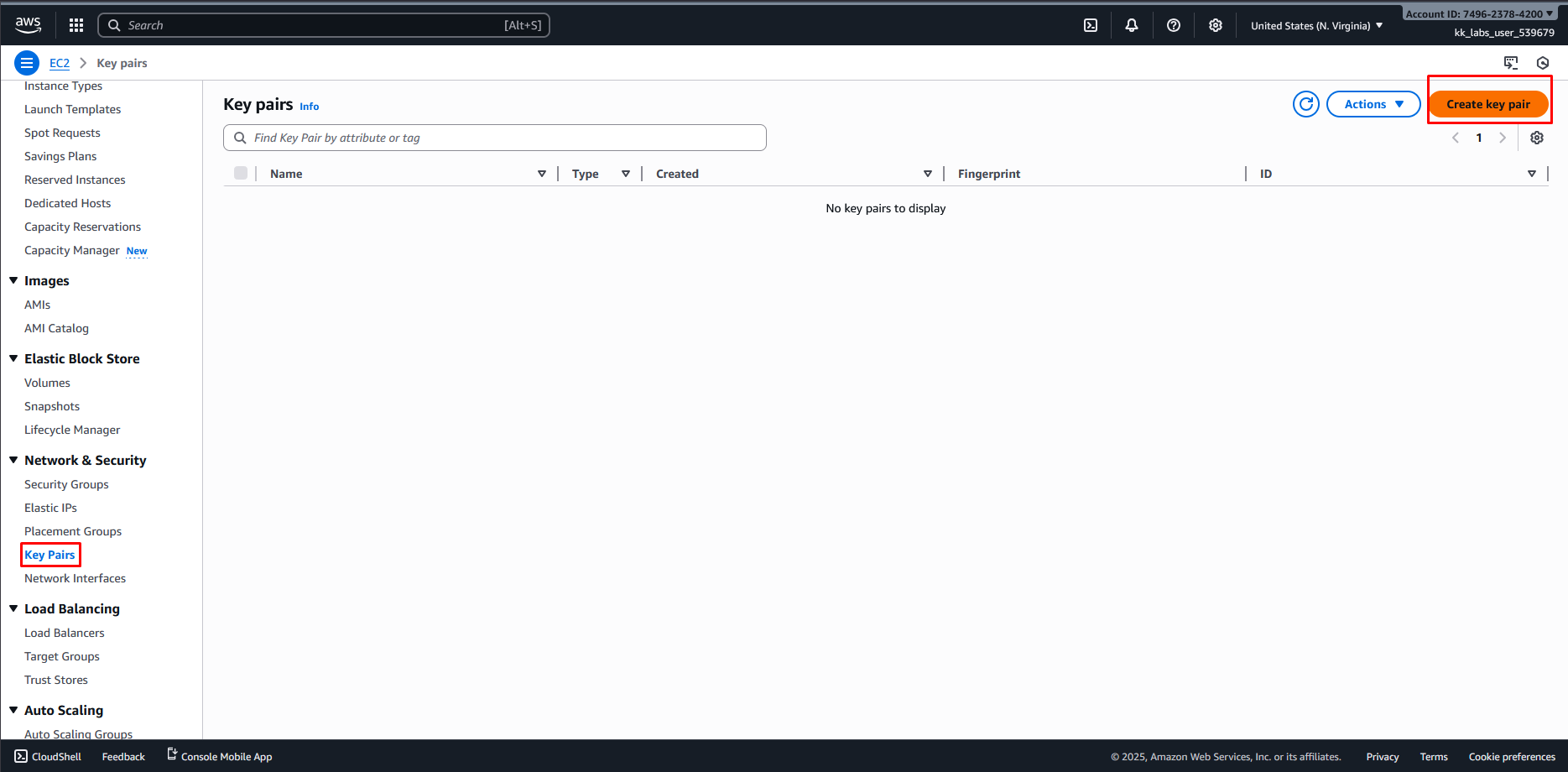
In the left sidebar, scroll down to find "Network & Security" section
Click on "Key Pairs"
Click the orange "Create key pair" button at the top right
Configure Key Pair:
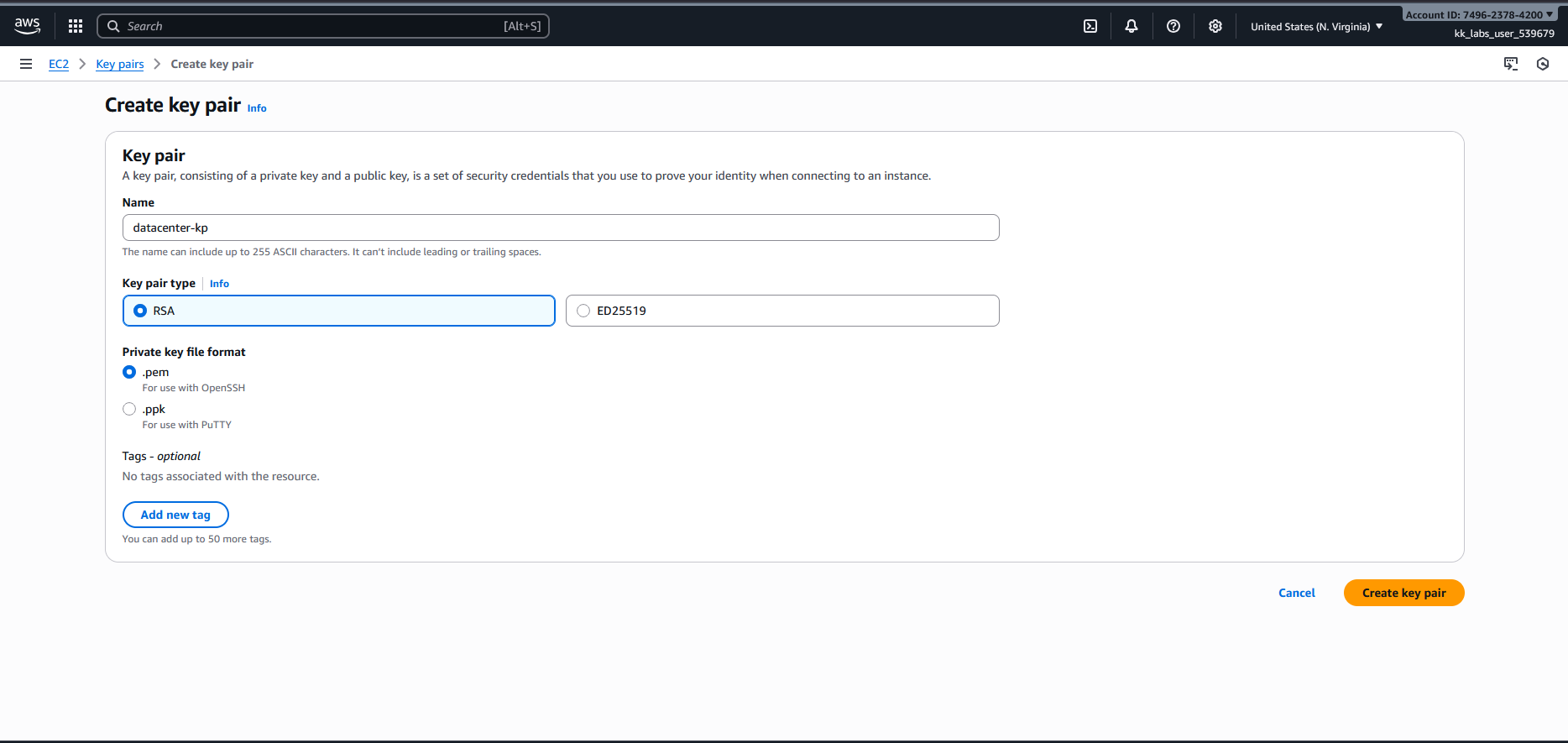
Name: Enter datacenter-kp
Key pair type: Select RSA
Private key file format: You can choose either:
.pem (for use with OpenSSH)
.ppk (for use with PuTTY on Windows)
Click "Create key pair"
Download the Key:
The private key file will automatically download to your computer
IMPORTANT: Save this file securely as it cannot be retrieved again
You'll use this key to connect to EC2 instances later

Resources & Next Steps
- 📦 Full Code Repository: KodeKloud Learning Labs
- 📖 More Deep Dives: Whispering Cloud Insights - Read other technical articles
- 💬 Join Discussion: DEV Community - Share your thoughts and questions
- 💼 Let's Connect: Linkedin - I'd love to connect with you
Credits
- All labs are from: KodeKloud
- Thanks for providing them.


