5.Create Files on App Servers using Ansible

Cloud & SRE specializing in AWS and DevOps. I share my ongoing learning journey through practical tutorials and insights. Let's grow together.
Lab Information
The Nautilus DevOps team is testing various Ansible modules on servers in Stratos DC. They're currently focusing on file creation on remote hosts using Ansible. Here are the details:
a. Create an inventory file ~/playbook/inventory on jump host and include all app servers.
b. Create a playbook ~/playbook/playbook.yml to create a blank file /home/opt.txt on all app servers.
c. Set the permissions of the /home/opt.txt file to 0744.
d. Ensure the user/group owner of the /home/opt.txt file is tony on app server 1, steve on app server 2 and banner on app server 3.
Note: Validation will execute the playbook using the command ansible-playbook -i inventory playbook.yml, so ensure the playbook functions correctly without any additional arguments.
Lab Instructions
Step-by-Step Ansible Lab Instructions
🟩 Step 1 — Create the playbook directory
mkdir -p ~/playbook
🟩 Step 2 — Create the inventory file
vi ~/playbook/inventory
Add the following content:
[app_servers]
stapp01 ansible_user=tony ansible_password=Ir0nM@n owner_name=tony
stapp02 ansible_user=steve ansible_password=Am3ric@ owner_name=steve
stapp03 ansible_user=banner ansible_password=BigGr33n owner_name=banner
✔ This defines all app servers ✔ It also maps each host to the correct owner
🟩 Step 3 — Create the playbook file
vi ~/playbook/playbook.yml
Add the following:
---
- name: Create /home/opt.txt on all app servers
  hosts: app_servers
  become: yes

  tasks:
    - name: Ensure /home/opt.txt exists with correct permissions and ownership
      file:
        path: /home/opt.txt
        state: touch
        mode: "0744"
        owner: "{{ owner_name }}"
        group: "{{ owner_name }}"
🟩 Step 4 — Verify your files Inventory: cat ~/playbook/inventory
Playbook: cat ~/playbook/playbook.yml
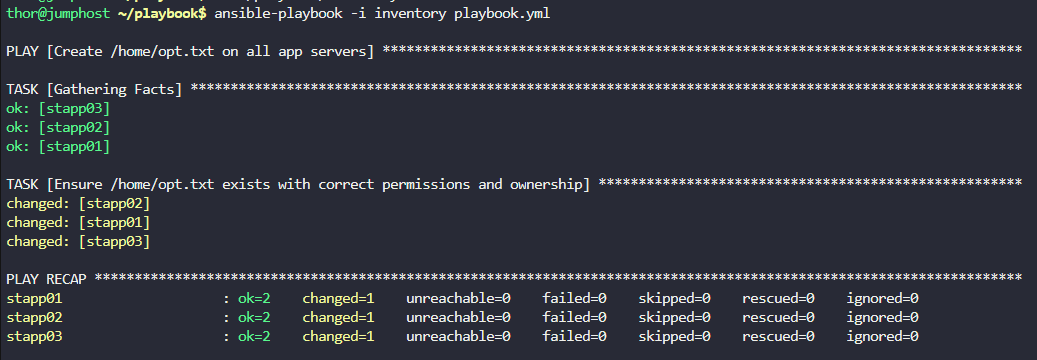
🟩 Step 5 — Run the playbook (Validation will do this automatically)
ansible-playbook -i inventory playbook.yml
This will:
✔ Create /home/opt.txt on all app servers ✔ Set file permissions to 0744 ✔ Assign correct owner/group per server:
stapp01 → tony
stapp02 → steve
stapp03 → banner