4.Create VPC with CIDR Using Terraform - Level 1

Cloud & SRE specializing in AWS and DevOps. I share my ongoing learning journey through practical tutorials and insights. Let's grow together.
Question
The Nautilus DevOps team is strategically planning the migration of a portion of their infrastructure to the AWS cloud. Acknowledging the magnitude of this endeavor, they have chosen to tackle the migration incrementally rather than as a single, massive transition. Their approach involves creating Virtual Private Clouds (VPCs) as the initial step, as they will be provisioning various services under different VPCs.
Create a VPC named xfusion-vpc in us-east-1 region with 192.168.0.0/24 IPv4 CIDR using terraform.
The Terraform working directory is /home/bob/terraform. Create the main.tf file (do not create a different .tf file) to accomplish this task.
Note: Right-click under the EXPLORER section in VS Code and select Open in Integrated Terminal to launch the terminal.
Solutions
Step 1. Create main.tf
Create main.tf with the following content:
# main.tf

terraform {
  required_providers {
    aws = {
      source  = "hashicorp/aws"
      version = "~> 5.0"
    }
  }
}

provider "aws" {
  region = "us-east-1"
}

resource "aws_vpc" "xfusion_vpc" {
  cidr_block           = "192.168.0.0/24"
  enable_dns_hostnames = true
  enable_dns_support   = true

  tags = {
    Name = "xfusion-vpc"
  }
}
Step 2. Initialize Terraform Configuration
Now, let's initialize and apply the Terraform configuration:
Initialize Terraform
terraform init
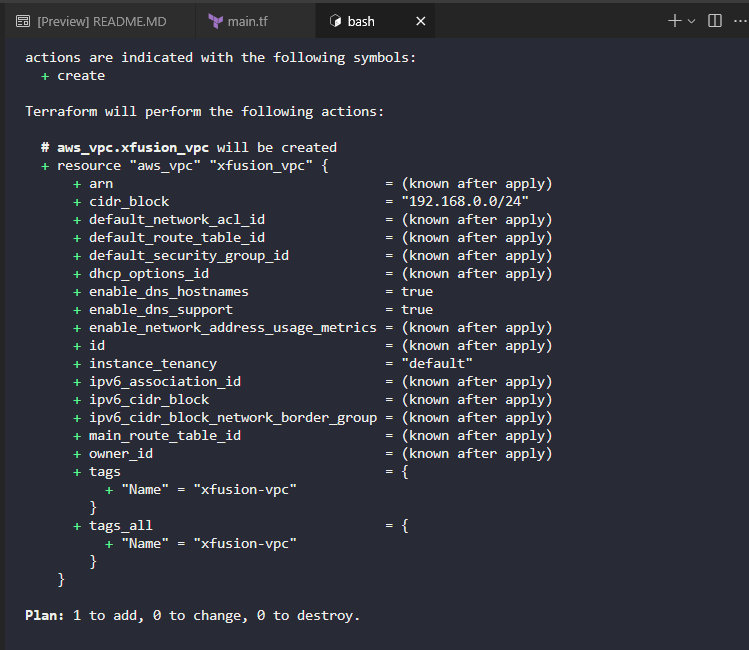
Step 3. Plan Terraform Configuration
Plan the configuration
terraform plan
Step 3. Apply Terraform Configuration
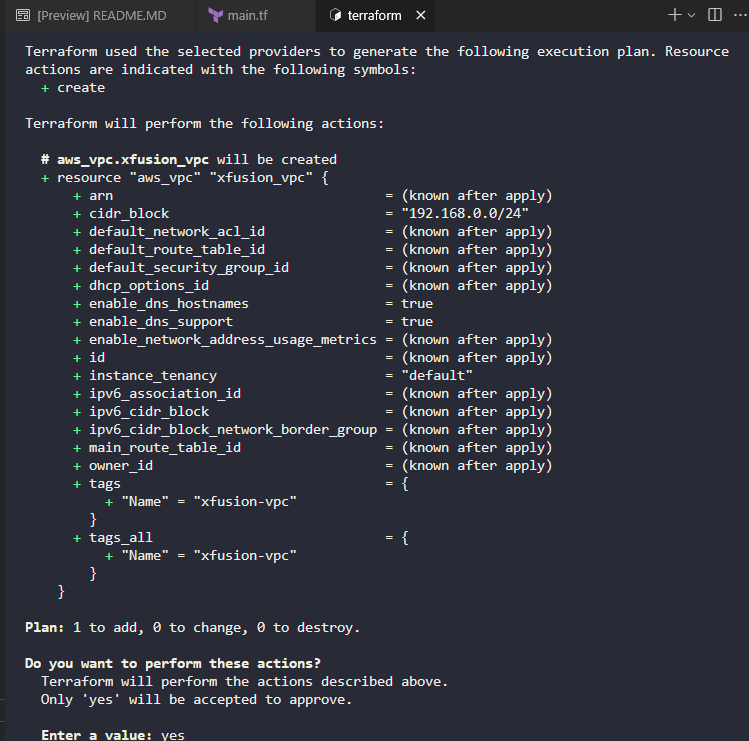
Apply the configuration
terraform apply
Related Resources
- Lab Repository: KodeKloud Learning Labs
- Technical Blog: Whispering Cloud Insights
- DEV Community: Thu Kha Kyawe
Credits
- All labs are from: KodeKloud
- Thanks for providing them.


