1.Git Install and Create Repository
Cloud & SRE specializing in AWS and DevOps. I share my ongoing learning journey through practical tutorials and insights. Let's grow together.
Lab Information
The Nautilus development team shared with the DevOps team requirements for new application development, setting up a Git repository for that project. Create a Git repository on Storage server in Stratos DC as per details given below:
Install git package using yum on Storage server.
After that, create/init a git repository named /opt/apps.git/ (use the exact name as asked and make sure not to create a bare repository).
Lab Solutions
Step-by-Step Solution
Step 1: Connect to the Storage Server from Jump Host
First, connect to the jump host, then to the storage server:
# From jump host, connect to storage server
ssh natasha@ststor01

# Password: Bl@kW
Step 2: Install Git using YUM
# Switch to root or use sudo if configured
sudo su -
# As root user
yum install git -y
Step 3: Create/Initialize the Git Repository
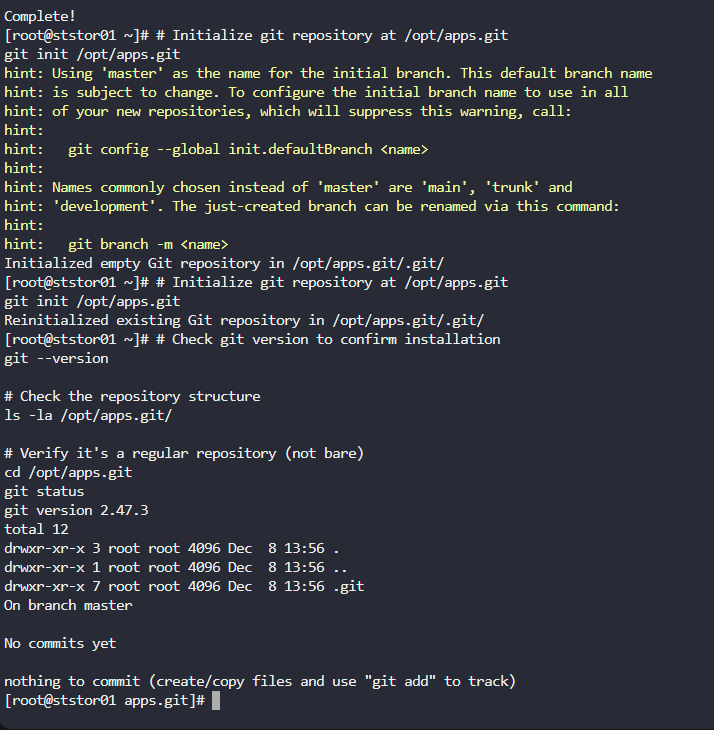
# Initialize git repository at /opt/apps.git
git init /opt/apps.git
Step 4: Verify the Installation and Repository
# Check git version to confirm installation
git --version

# Check the repository structure
ls -la /opt/apps.git/

# Verify it's a regular repository (not bare)
cd /opt/apps.git
git status